Your keys stay on your iPhone.

mintSSH is a native SSH terminal for iPhone. There’s no account to create and nothing tracking you.

Coming soon to the App Store Free to download, £24.99 once for Pro

Every SSH key has fingerprint art like this. This one was just drawn from random bytes in your browser, the way ssh-keygen does it.

A private key that can’t be copied. Not even by us.

Secure Enclave by default
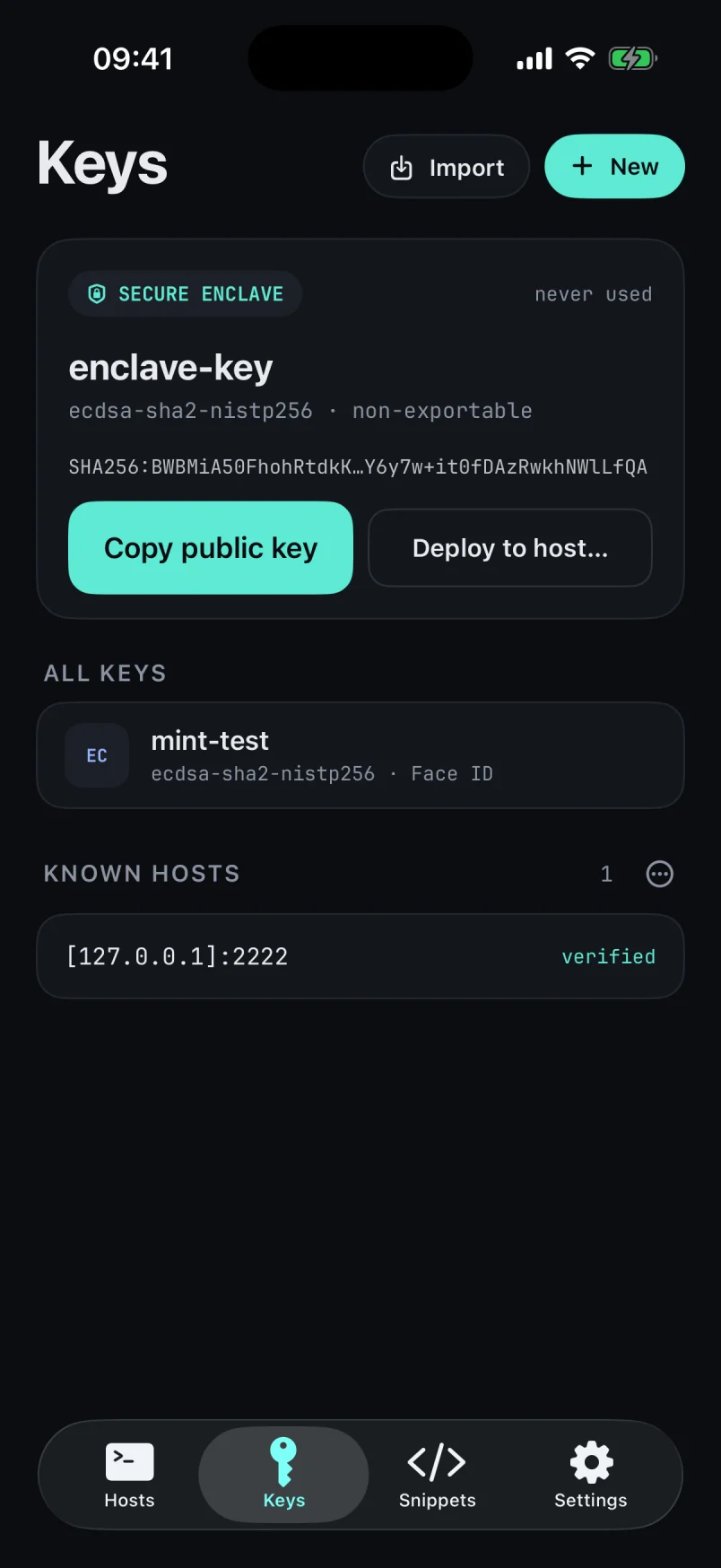
New keys are generated inside your iPhone’s Secure Enclave, and each use can require Face ID.
Deploy in one tap
Send a public key to a server, and mintSSH confirms it works with a test login.
Bring your own keys
Import OpenSSH, PKCS#8 and PEM keys, including passphrase-protected exports from 1Password. Or create Ed25519 and P-256 keys you can export.
Passwords from your password manager
Server passwords fill through iOS Password AutoFill from 1Password, Bitwarden, iCloud Keychain or any other provider.

What iOS doesn’t allow Apps can’t talk to a password manager’s SSH agent on iOS, so mintSSH can’t sign with a key that stays inside 1Password or Bitwarden. Import the key, or generate a Secure Enclave key and deploy it to your servers.

The Keys screen in mintSSH, showing a non-exportable Secure Enclave key with buttons to copy its public key or deploy it to a host.
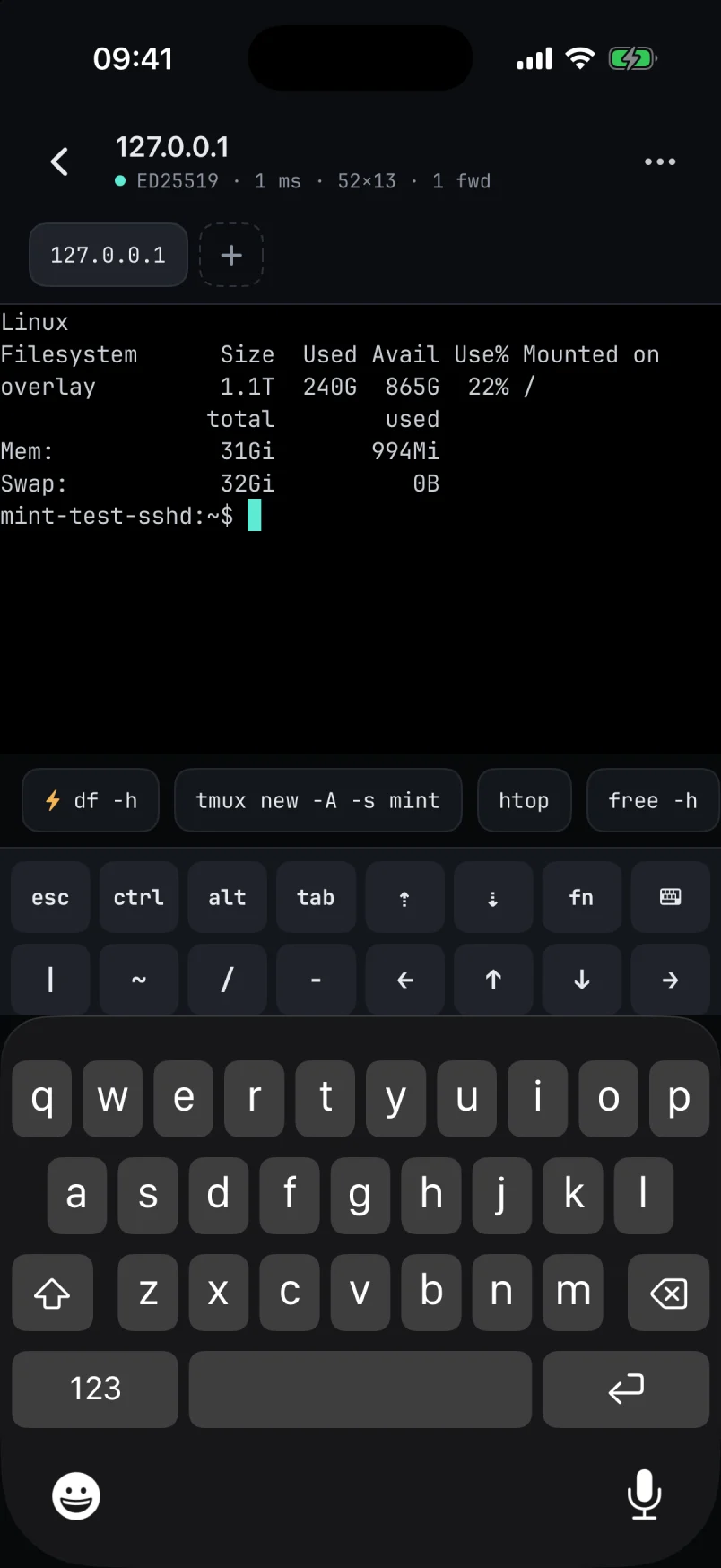
A live SSH session in mintSSH, with a row of saved snippets and a two-row bar of extra keys above the iPhone keyboard.

A real terminal, tuned for iPhone.

Keys a phone doesn’t have
The extra-keys bar has sticky Ctrl, Alt and Fn. Swipe on the terminal for arrow keys.
Good with a hardware keyboard
Cmd shortcuts for tabs, copy, paste and font size. Caps Lock as Esc or Ctrl, Option as Meta, and the Kitty keyboard protocol.
Pick up where you left off
Sessions reconnect when you come back to the app. Turn on tmux attach and your work survives a dropped connection.
Snippets
Save commands with {{variables}}, then run or insert them from the row above the keyboard.
Strict about host keys
See the SHA256 fingerprint on first connection and a clear warning if it changes. Import and export known_hosts.
Tunnels and jump hosts
Reach private servers through a jump host, with local, remote and SOCKS port forwarding.
Every server, one tap away.

Quick connect
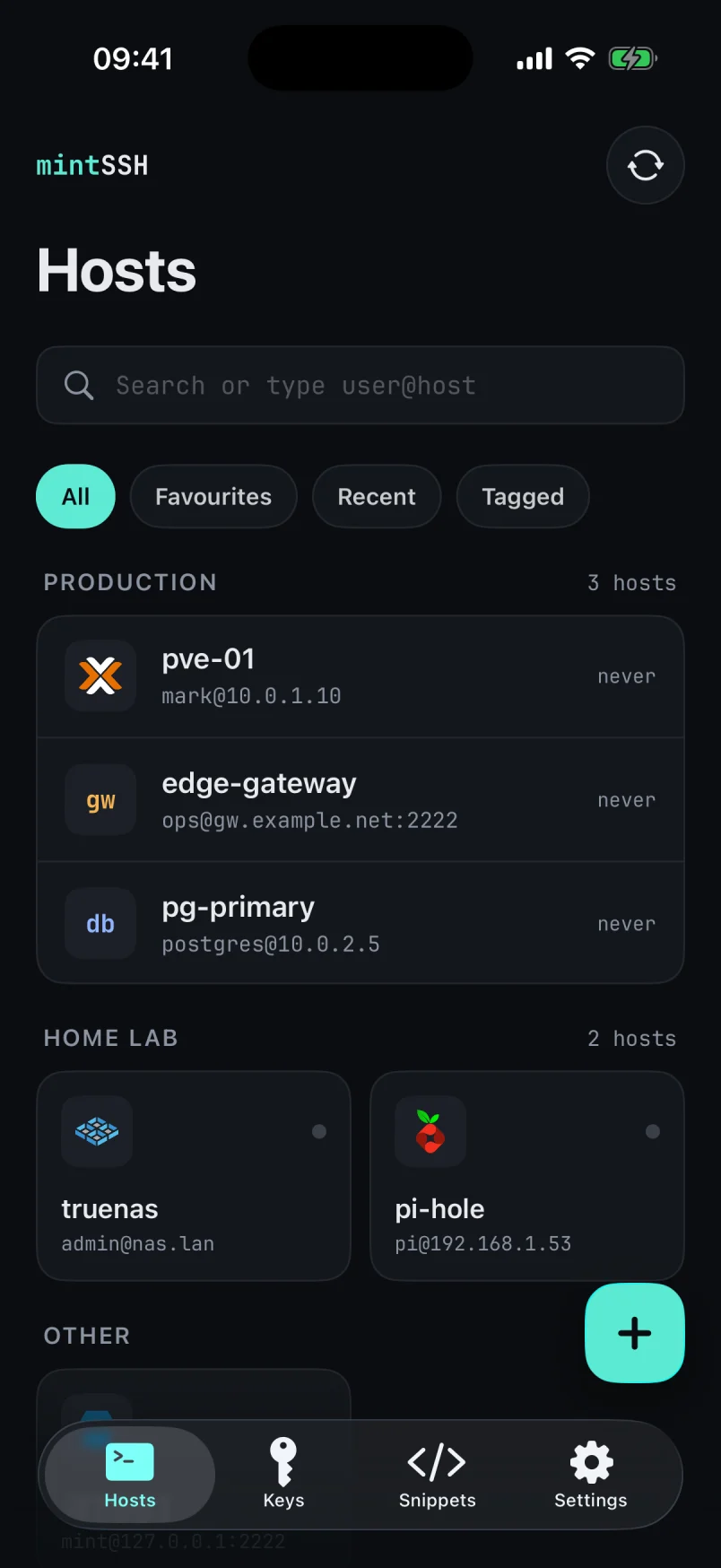
Type user@host into search and go. Save it as a host if you’ll be back.
Icons you’ll recognise
Proxmox, TrueNAS, Pi-hole and more than 150 other services, suggested automatically.
Shortcuts actions
Connect to a host or run a snippet from Shortcuts and Siri. Requires Pro.
Encrypted backups
Export hosts, snippets, known hosts and software keys to a passphrase-protected file, and restore it any time.
The Hosts screen in mintSSH, with servers grouped into Production and Home lab, each with a service icon.

Nothing phones home.

There’s no mintSSH server and no analytics. This is the full list of what the app connects to.

DestinationWhy
The servers you addYour SSH sessions, sent directly from your iPhone.
cdn.jsdelivr.netHost icons that don’t ship with the app. You can turn this off in Settings.
AppleIn-app purchases, handled by the App Store.

Read the privacy policy

Free stays free.

Unlimited hosts and every key feature cost nothing. Pro is for people who keep several sessions open.

Feature Free£0 Pro£24.99once, or £9.99 a year
HostsUnlimitedUnlimited
Keys, including Secure EnclaveAll featuresAll features
Encrypted backup and exportIncludedIncluded
AdsNoneNone
Open sessions1Tabs
Snippets5Unlimited
Shortcuts and SiriNot includedIncluded
ThemesDefaultAll

Prices are in pounds sterling and may differ in your country’s App Store. mintSSH requires an iPhone with iOS 26 or later.